Advertiser Guide
Welcome to the Advertiser Guide
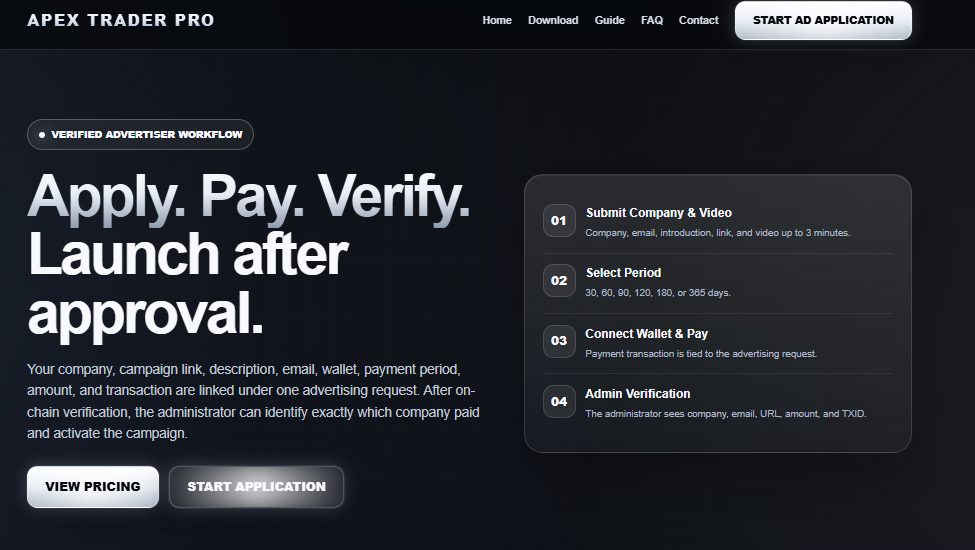
Advertiser period and payment of amount
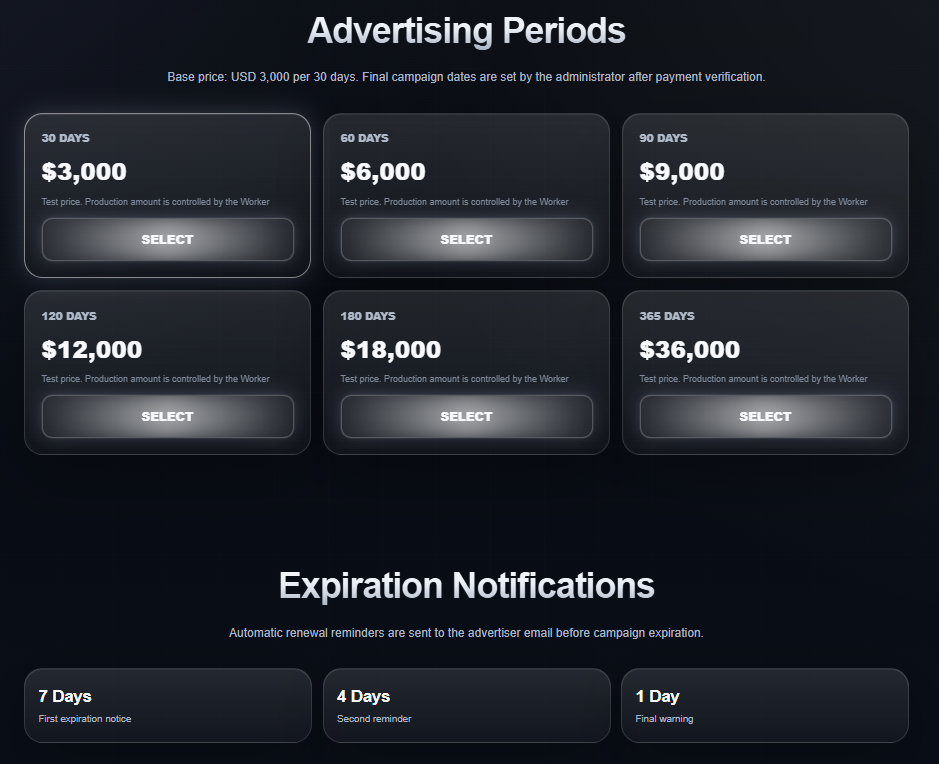
Set the advertiser amount and duration. After the advertiser selects, you will be redirected to the next page
Fill out the advertising application
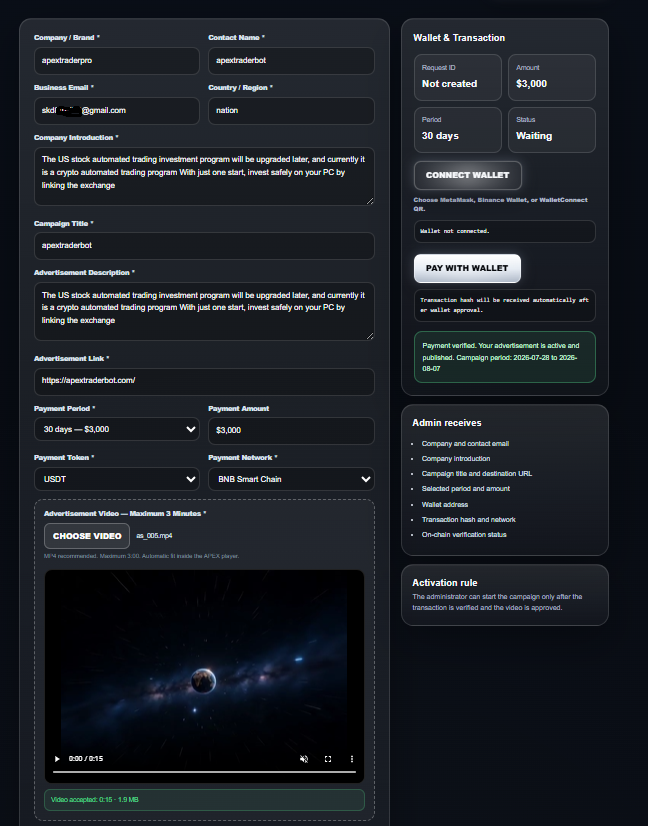
Please fill out the advertisement application form accurately
Please provide the company name, your name, email, title, company and product description, link address, and the advertisement video exactly
Check the contents of the 'Insert ad video" checkbox
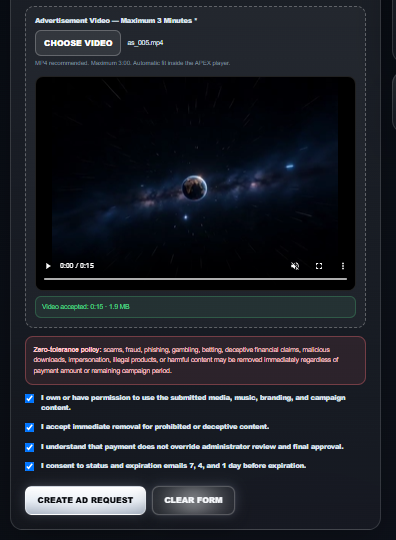
You must insert the advertisement video exactly.
And after checking all the box contents, check it.
Click 'Request Ad"
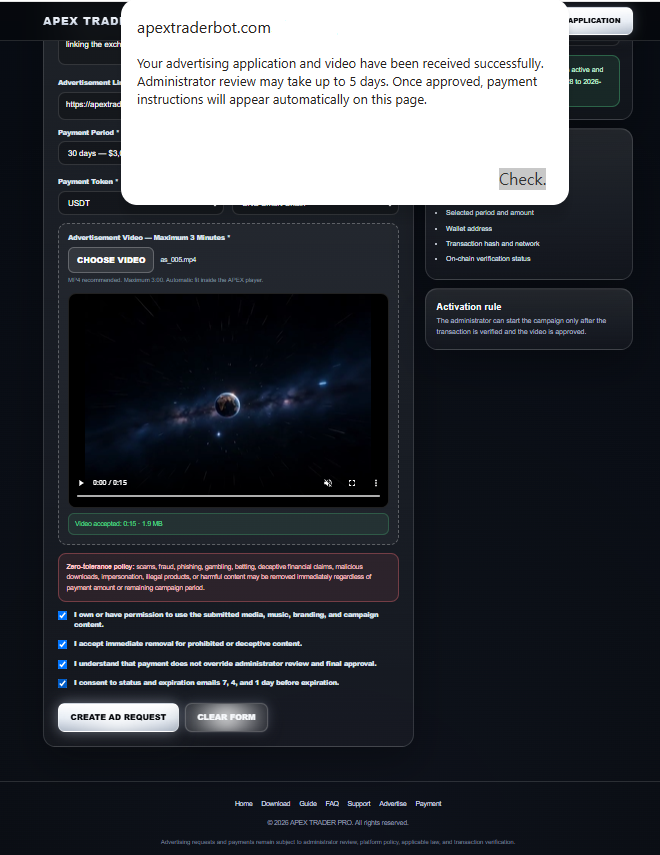
Please check the notification window
A notification appears saying the ad request was successfully made
Please check the date by which the ad request will be processed within 5 days An email will be automatically sent.
This is a normal form for a green ad request
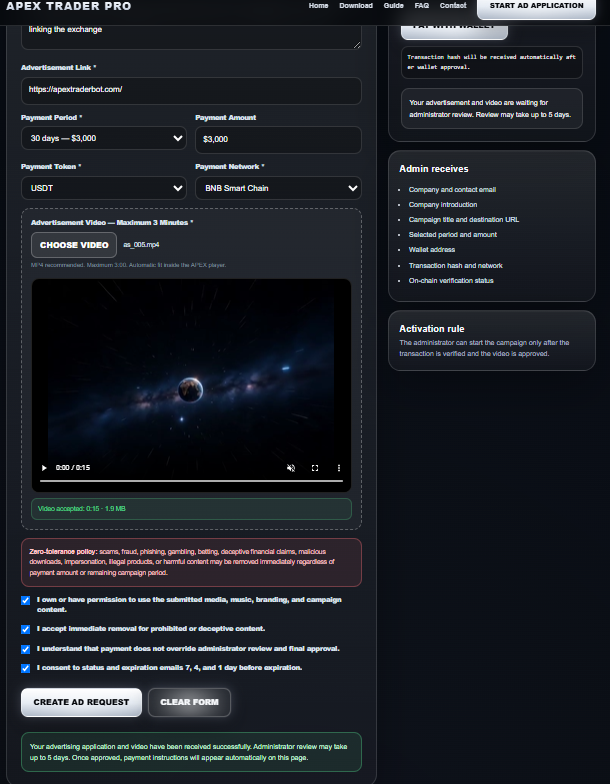
Green: Request normal ad. It automatically sends an ad request to the advertiser.
Advertisement request email advertiser confirmation
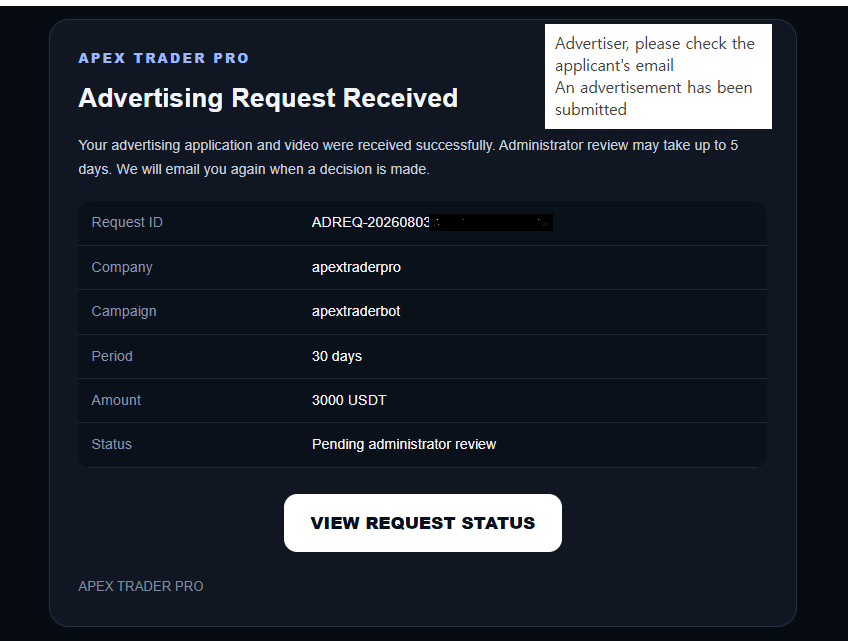
Please check the email of the email advertiser for the optical request Request sent successfully
Advertiser confirmation of ad request approval email
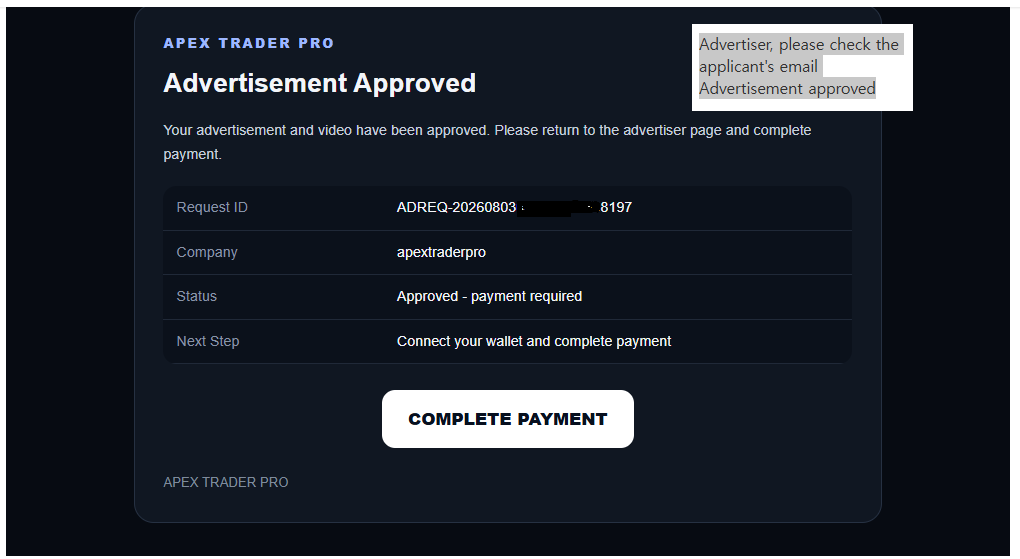
The ad request has been approved.
Now, please proceed with the payment for the advertisement.
If the period and amount do not match, you must start over from the beginning and apply again
After confirming the period and amount, please return to the advertiser page form and proceed with the payment
Make a payment with the advertiser
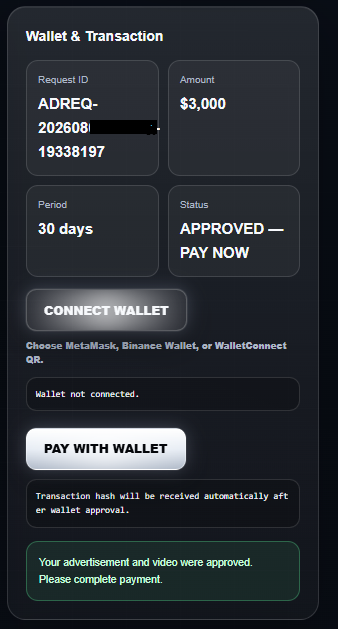
You just need to proceed with the advertiser’s payment.
Connect the wallet you want to pay with
You need to start by connecting the wallet that will handle payments for the advertiser, such as MetaMask, Binance, or Trust Please make sure to check the amount in your wallet Please check the advertising period and advertising amount for USDT and USDC.
Select wallet connection to pay with the advertiser
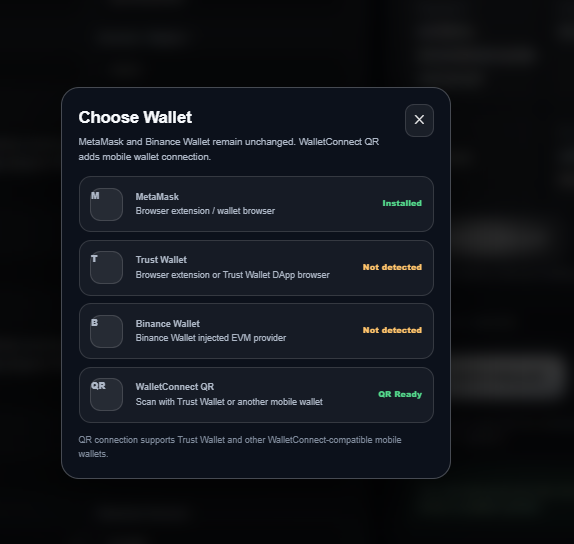
You need to start by connecting the wallet that will handle payments for the advertiser, such as MetaMask, Binance, or Trust Please make sure to check the amount in your wallet Please check the advertising period and advertising amount for USDT and USDC.
The wallet for advertiser payment has been connected. Please check the green color
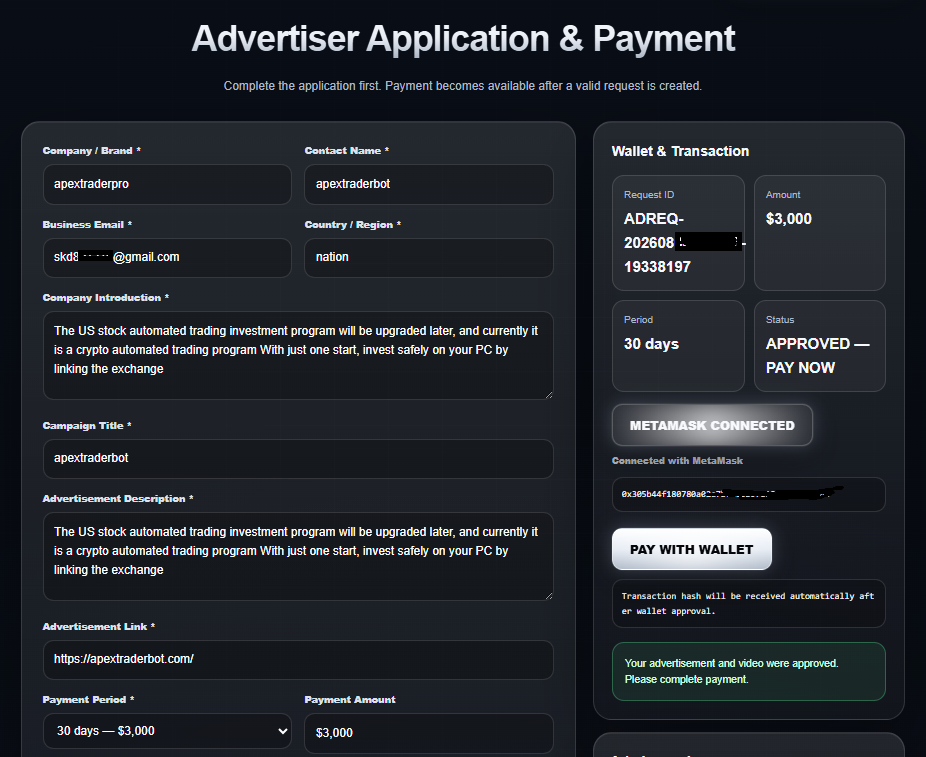
The wallet for advertiser payment has been connected.
Please check the green color This is a normal connection. Don’t worry if the advertiser’s video doesn’t appear APEX auto saves.
The amount must be exactly there for the payment to be processed correctly.
Advertiser payment confirmation
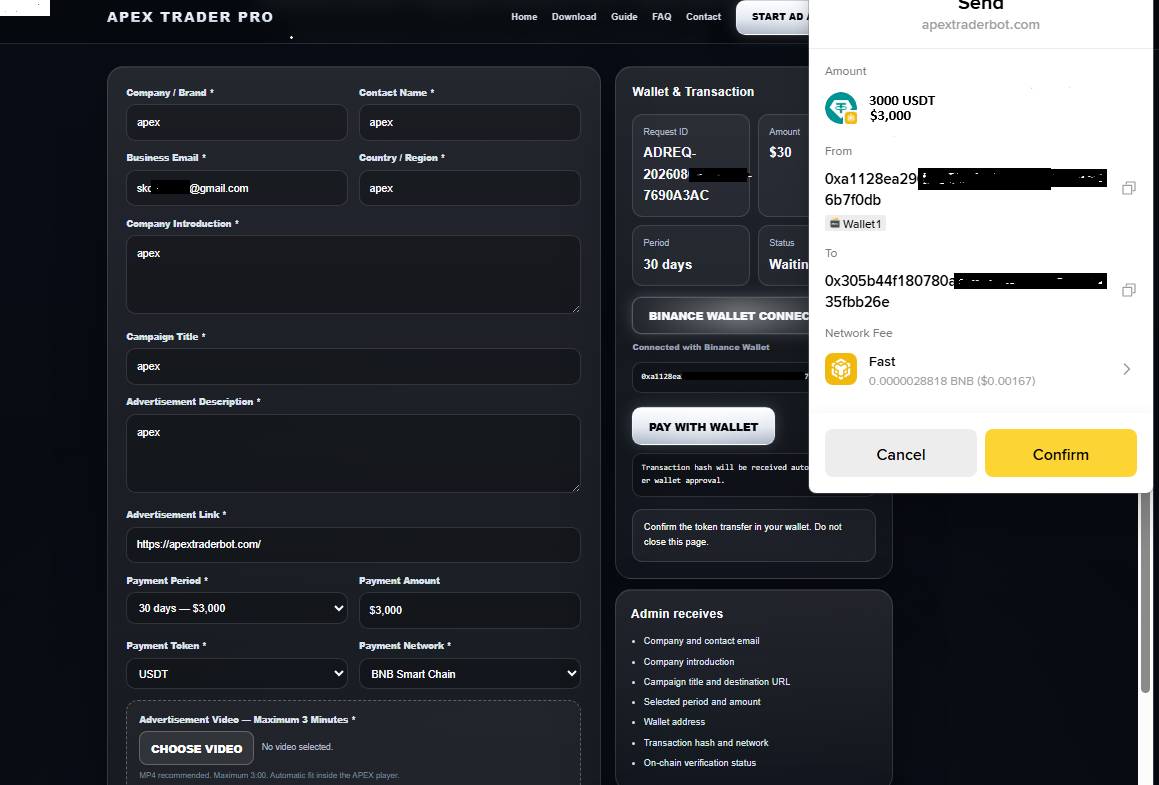
This is the advertiser’s normal payment button confirmation.
Payment confirmation notification window
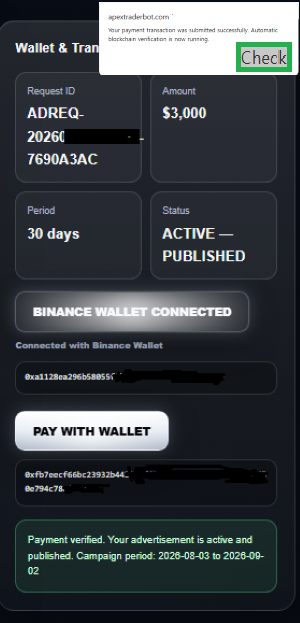
Payment confirmation is processed within 5 minutes Just a moment, please.
Check the notification window
Advertiser videos are viewed by program users around the world
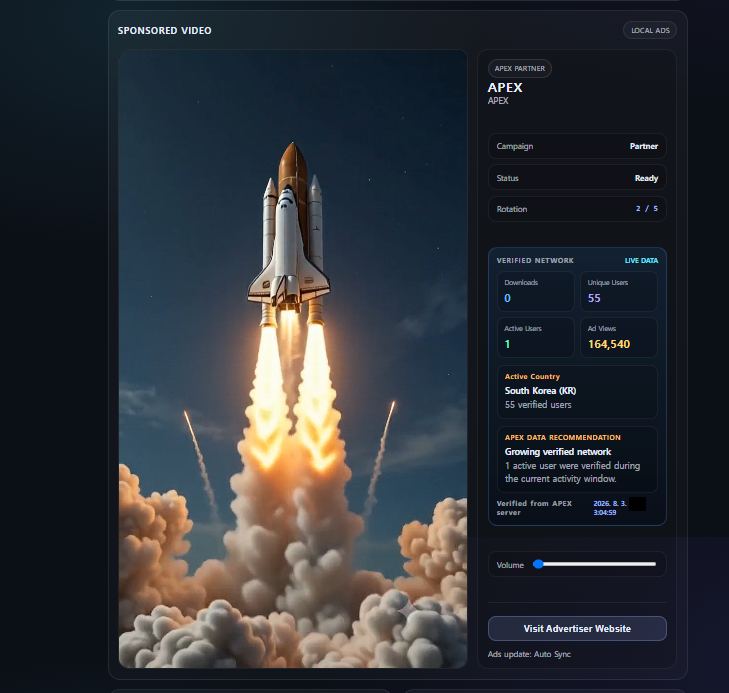
Please check the payment notification window and wait a moment Within 10 to 20 minutes, the advertiser’s promotional video will be automatically played.
Advertiser final confirmation
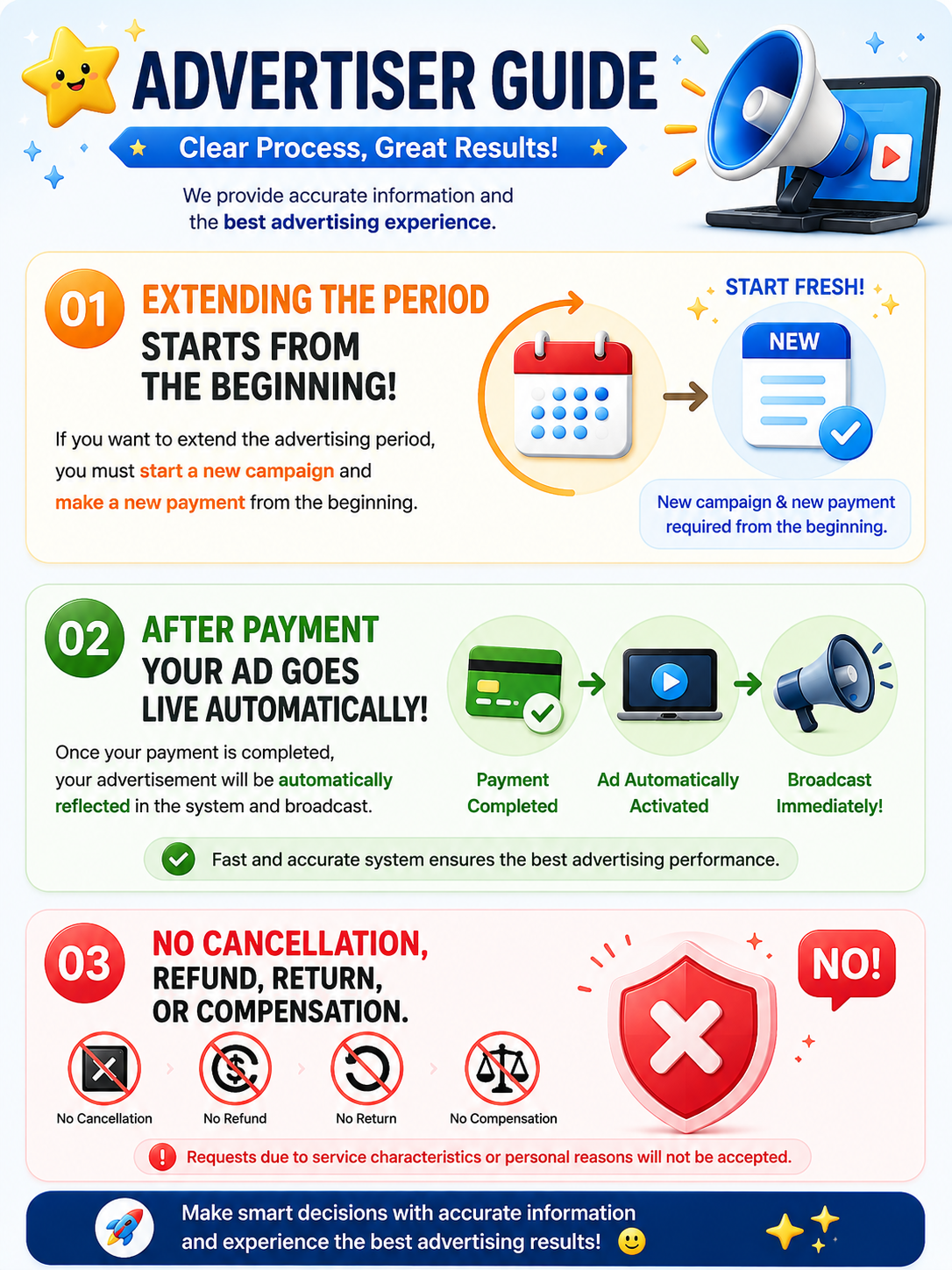
Advertisers, please be sure to check.